2. Ni Vision Development Module
Licensing
OpenLvVision currently interacts with the core library (nivissvc.dll) to manage fundamental LabVIEW image data types.
While our testing indicates that this specific usage does not technically trigger a software activation prompt, users must be aware that these files remain the intellectual property of NI.
Installation
To install the necessary image handling components, use the NI Package Manager with these steps:
Launch NI Package Manager (as Administrator):
- Locate the NI Package Manager application on your system.
- Right-click on the application icon.
- Select “Run as administrator.”
Search for the Module:
- Once the NI Package Manager is open, use the search bar to find “Vision Development.”
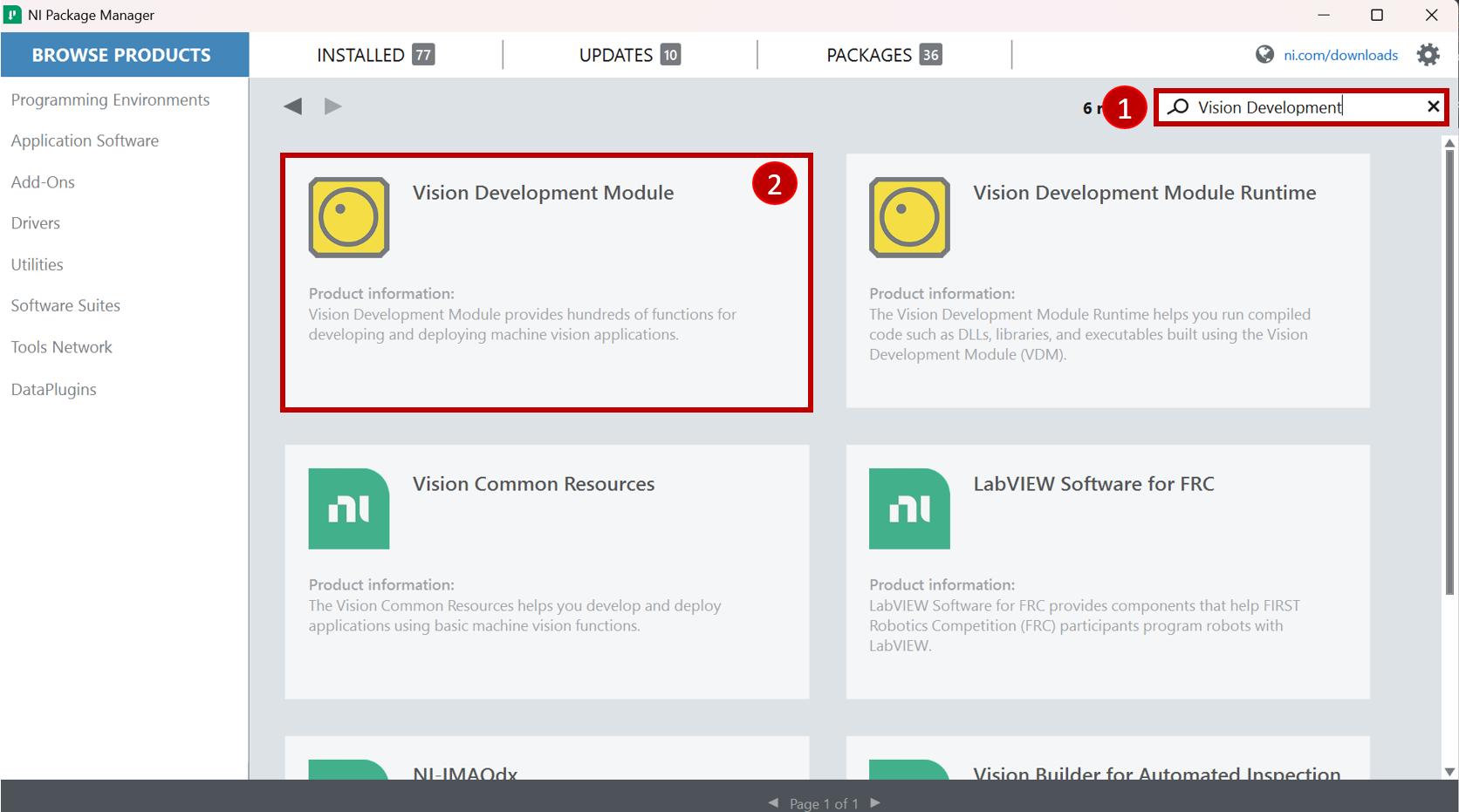
Select Compatible Version:
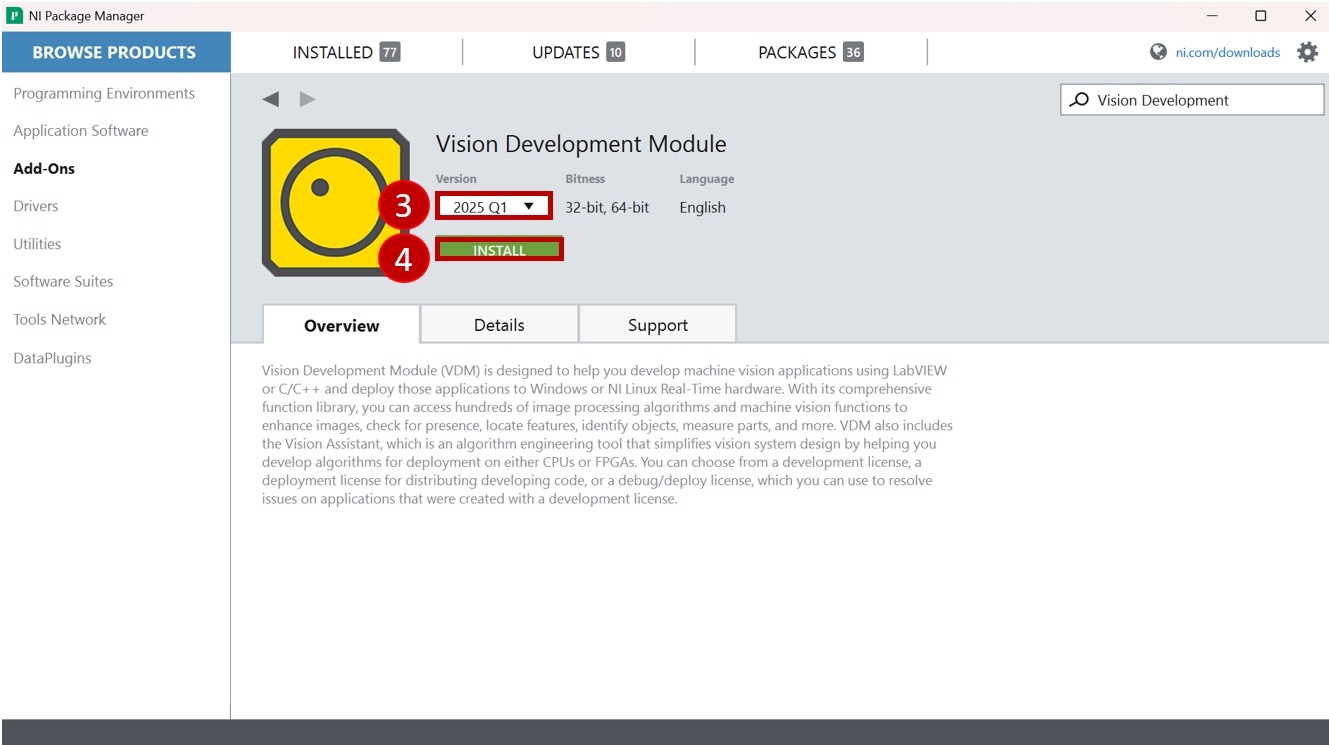
- Carefully select the “Vision Development” package that matches the exact version of your installed LabVIEW.
- Matching the versions is critical to prevent compatibility issues.
Initiate Installation:
- Click the “Install” button next to the correct “Vision Development” package.
- Follow all the on-screen instructions provided by the NI Package Manager to complete the installation.
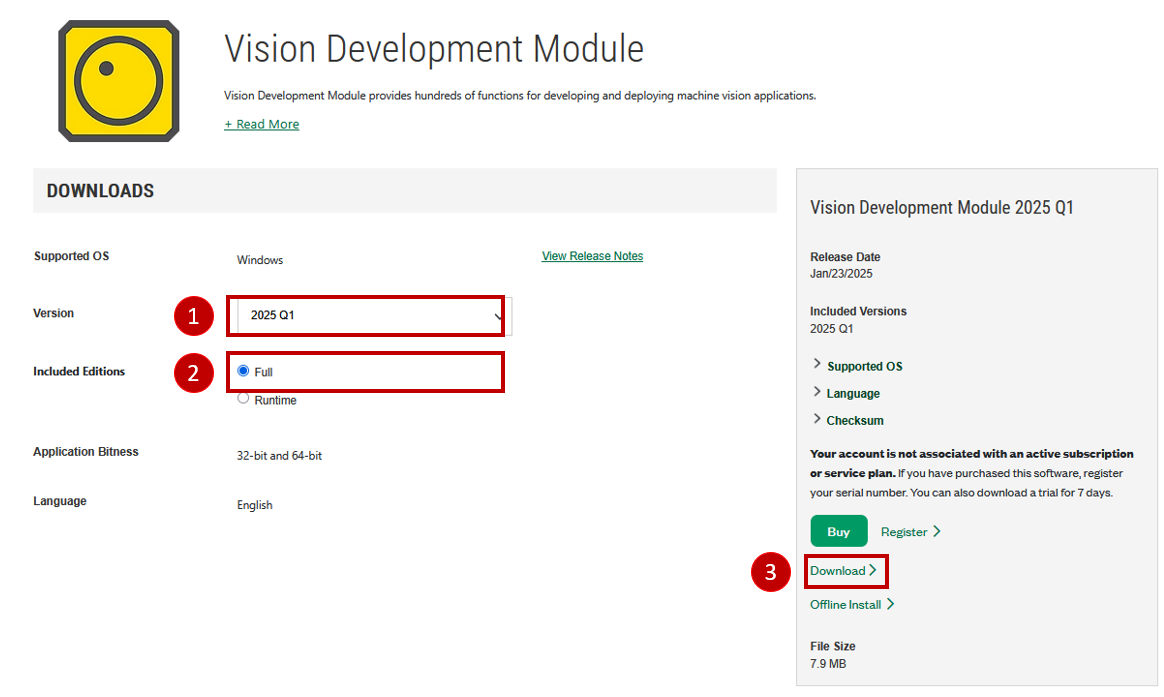
To obtain the necessary files for image handling, visit the National Instruments website to download the NI Vision Development Module installer: https://www.ni.com/en/support/downloads/software-products/download.vision-development-module.html
Select Matching Version:
- Ensure you choose the download for the NI Vision Development Module version that precisely matches the version of LabVIEW you have installed on your system.
Choose Full Version:
- Select the “Full” version of the module.
- The “Runtime” version is only required for deployment on target systems that do not have the full LabVIEW development environment installed and are running your application as an executable. For development purposes, the Full version is necessary.
Download and Install:
- Click the download button to obtain the installer.
- Once downloaded, run the installer and follow the on-screen instructions to install the NI Vision Development Module.
- Important: If you don’t see a download button, this version of the module needs to be installed using the NI Package Manager (see previous section).