3. OpenLvVision SDK
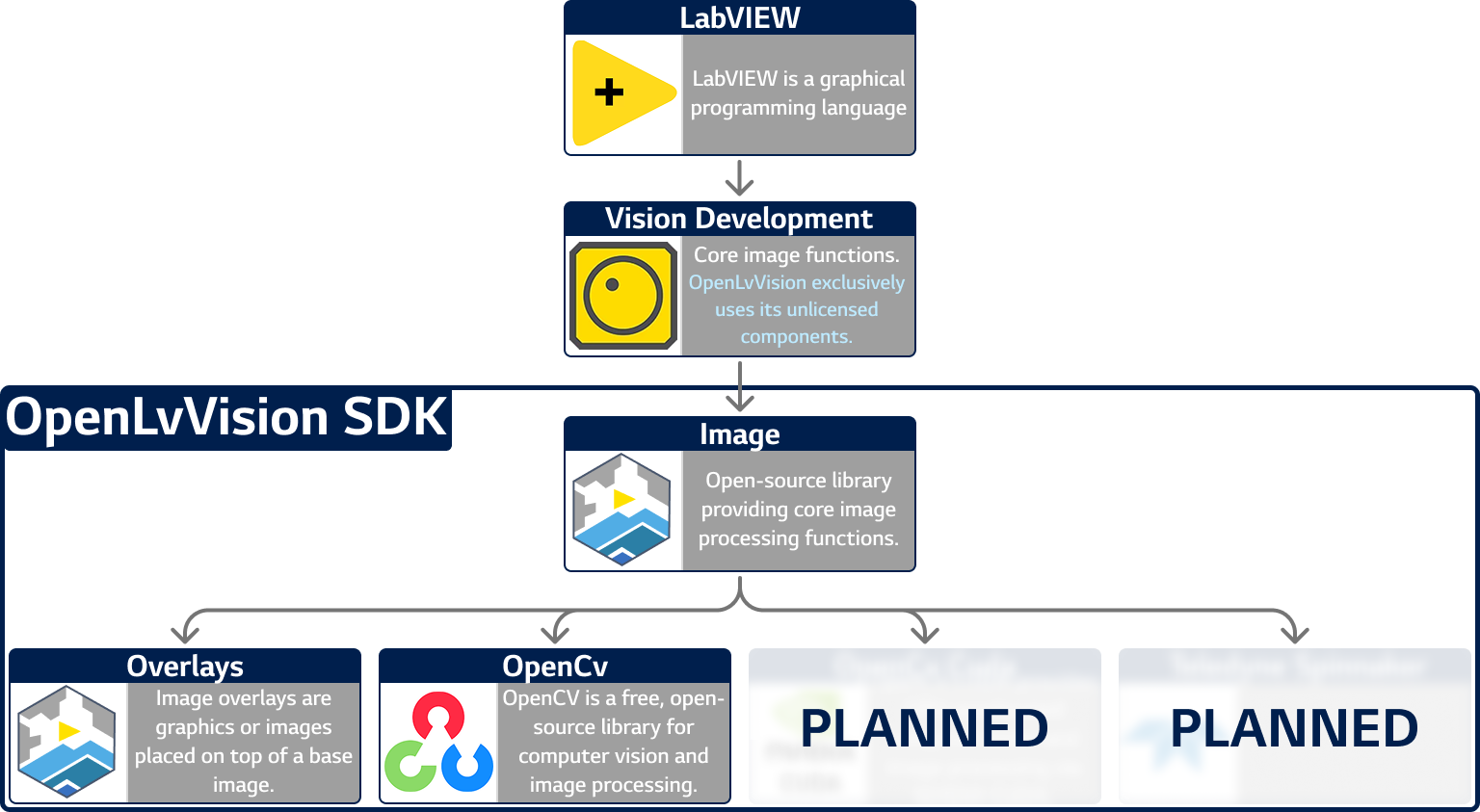
OpenLVVision is built from several key libraries:
- Vision Common Resources Provides core image function implementations in LabVIEW.
- Image Fundamental open-source image processing functions.
- Overlays Tools for managing graphics and images placed on top of a base image.
- OpenCV A widely used, free, open-source library for computer vision and image processing.
1. Installing JKI VIPM
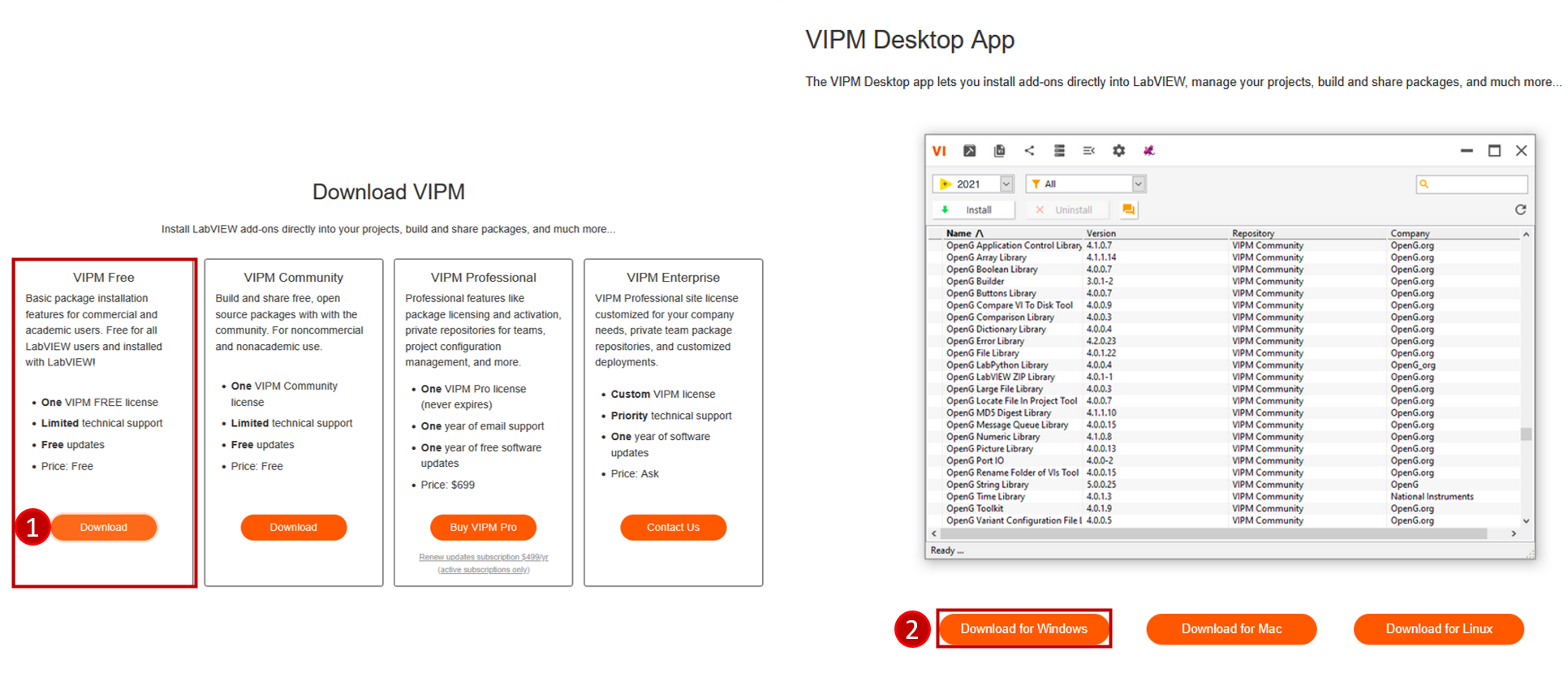
All OpenLvVision packages are distributed via the JKI VI Package Manager (VIPM).
Download VIPM from vipm.io/download and install it.
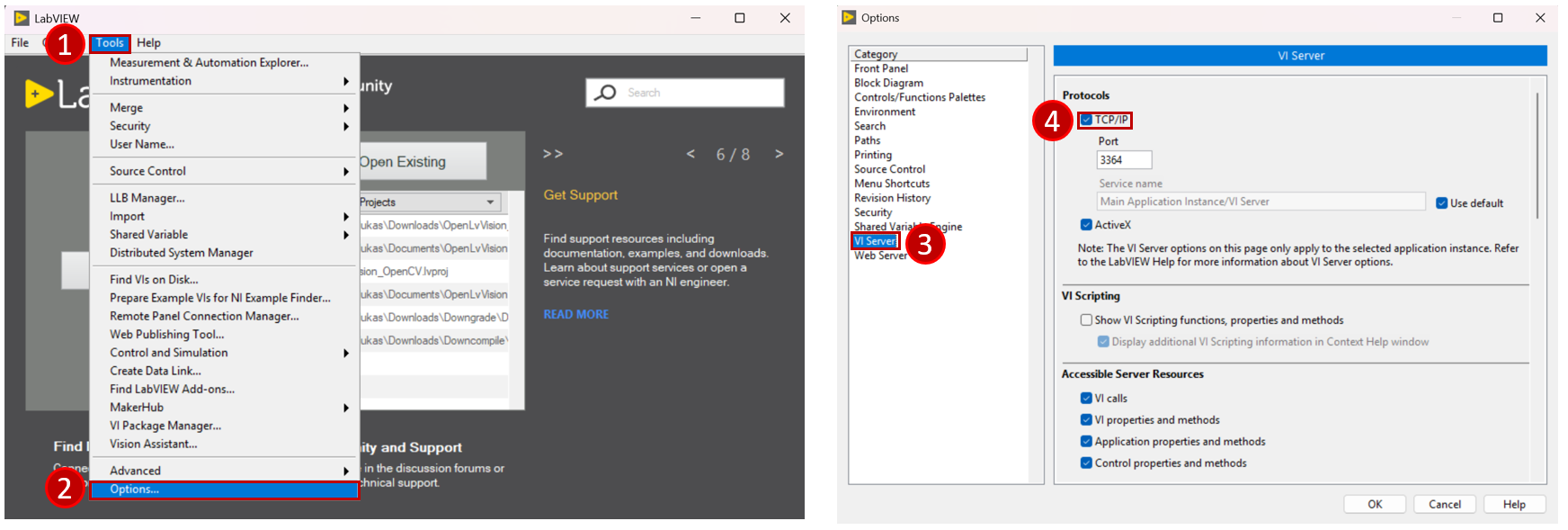
Enable the LabVIEW VI Server (required for VIPM to communicate with LabVIEW):
- Open LabVIEW.
- Go to Tools Options VI Server.
- Under TCP/IP, check Enable TCP/IP.
- Leave the port at its default value (each LabVIEW version has its own default port).
- Restart LabVIEW.
Choose one of the following methods to install the OpenLvVision modules:
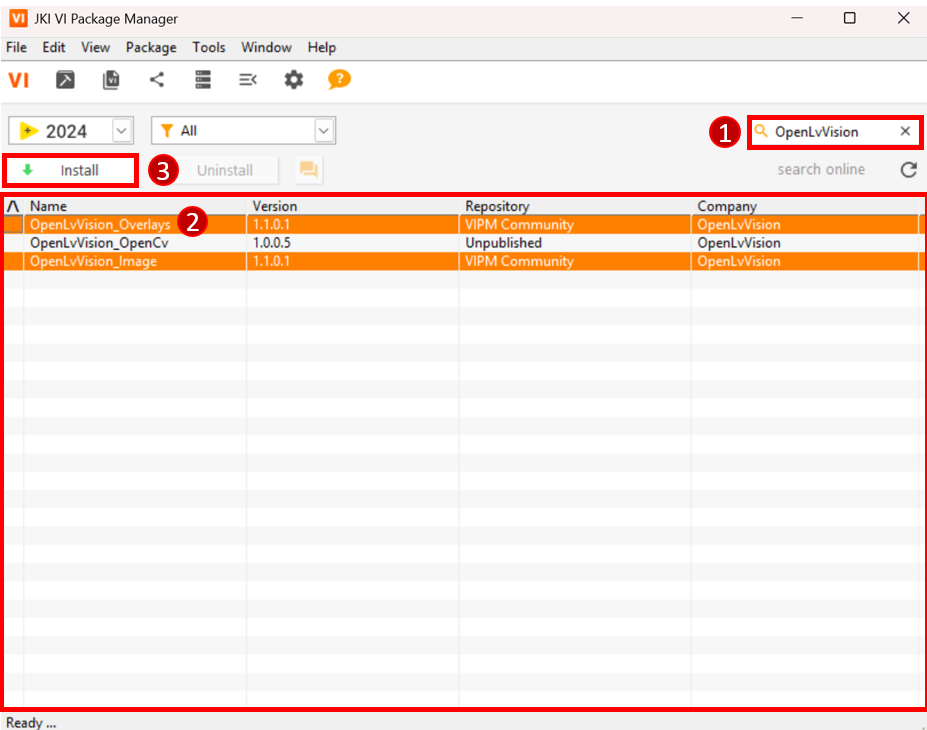
- Open VIPM.
- Use the search bar to find OpenLvVision.
- Select the module you want to install.
- Click Install.
- Download the
.vipfiles from the module’s GitHub Releases page. - Double-click the
.vipfile, or right-click → Open with VIPM. - Follow the installer prompts.
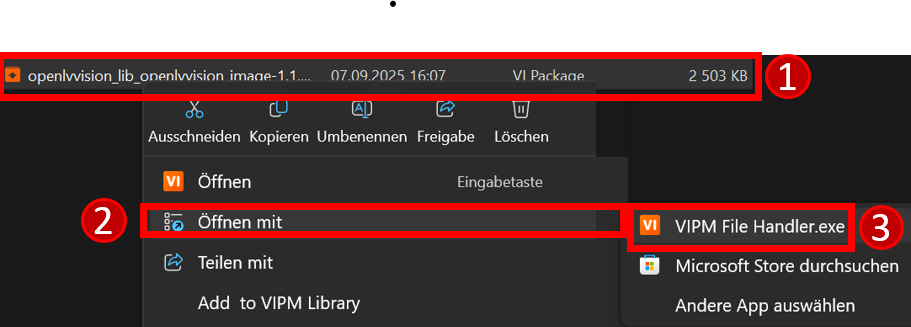
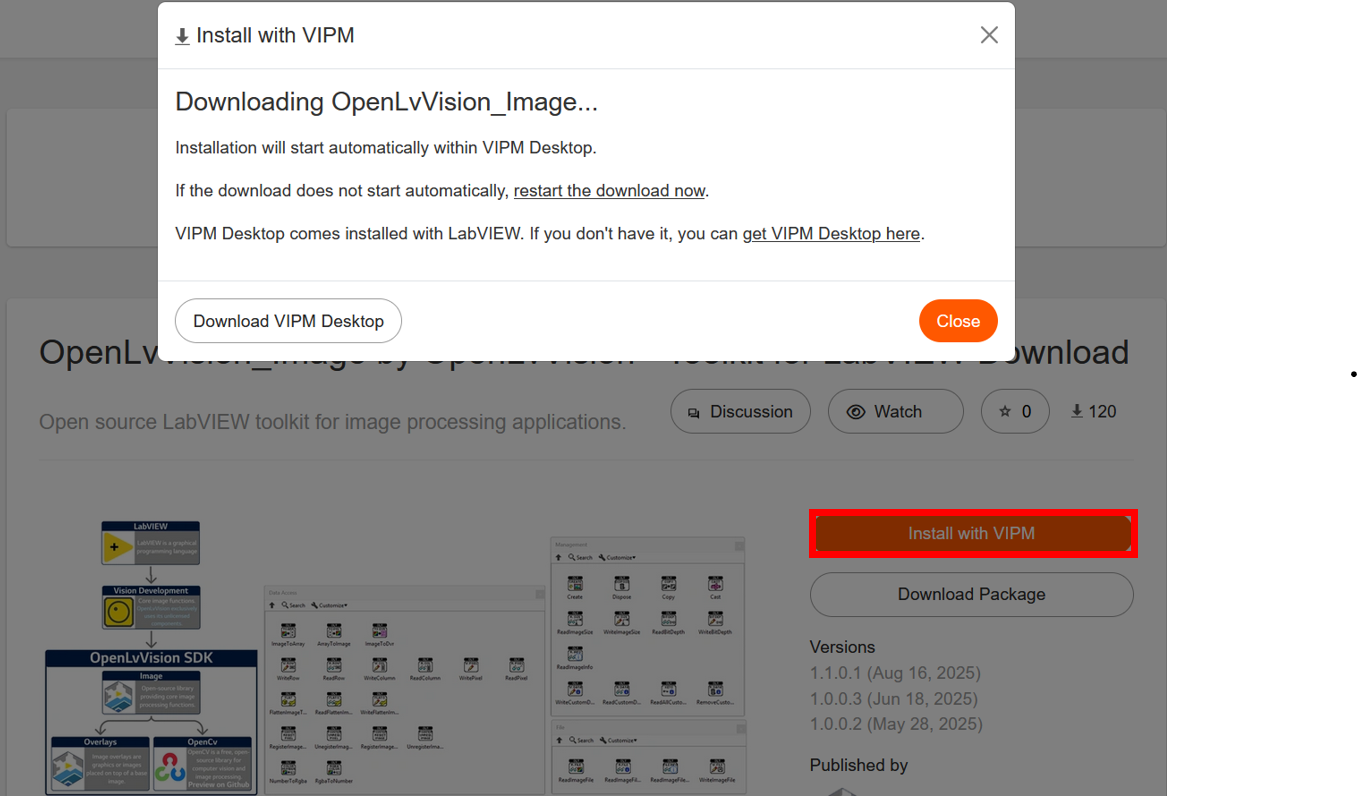
- Go to the module’s package page on vipm.io.
- Click Install with VIPM (this will launch VIPM automatically).
- Confirm installation in VIPM.
2. Image Module
An open-source library with fundamental image processing functions.
Download Links
3. Overlays Module
Provides functions for managing overlays (graphics and annotations) on images.
Download Links
4. OpenCv
A free, widely used, open-source library for computer vision and image processing.
Download Links
Offline Installation
If you do not have internet access on the target machine, you can install the module manually.
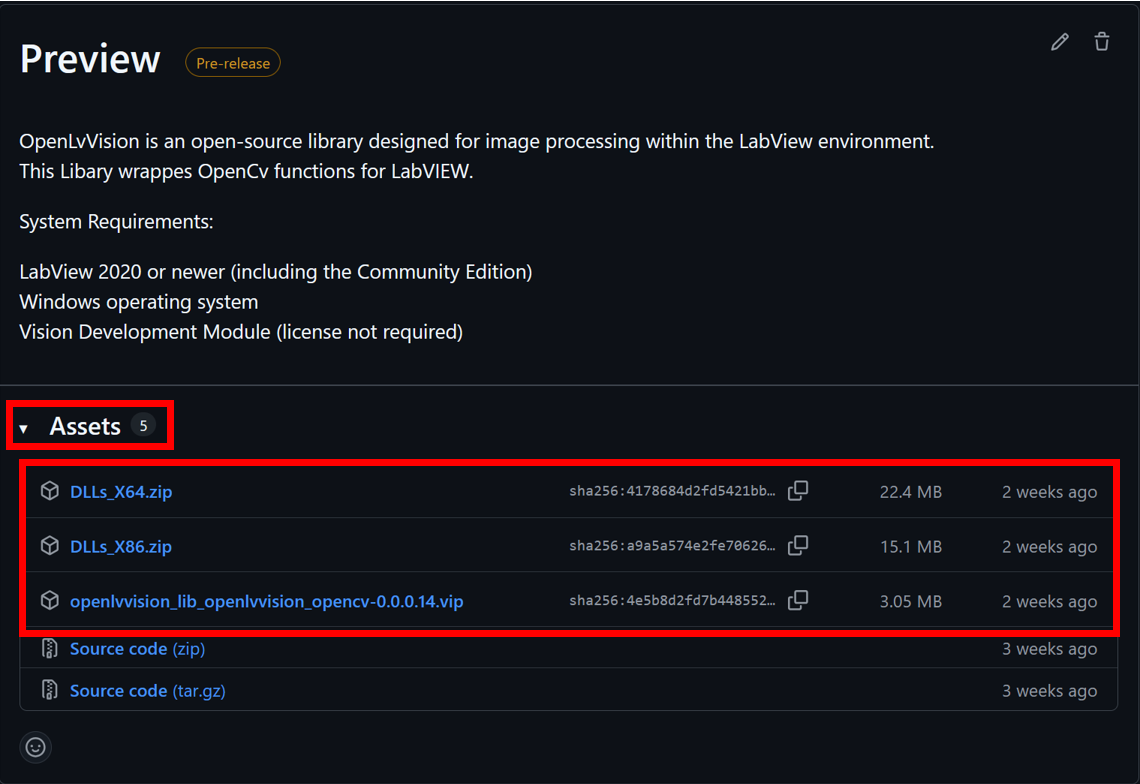
Download the required files:
- OpenCV: GitHub Releases
- Dependencies: GitHub Releases
- The
.vipfile (the package itself) - The associated
.zipfiles:- Use the
x64zips for LabVIEW 64-bit - Use the
x86zips for LabVIEW 32-bit or LabVIEW Community Edition
- Use the
Install the
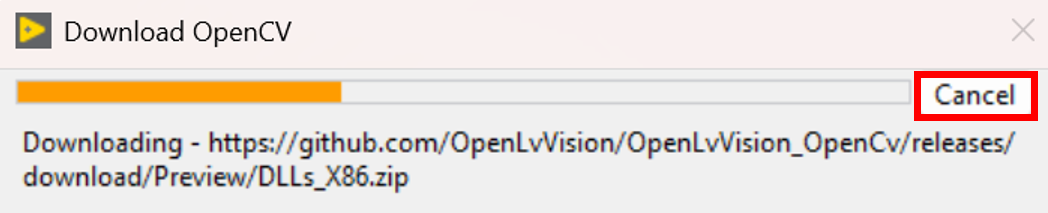
.vipfile manually via VIPM (see instructions in Installing JKI VIPM).During installation, VIPM will display a window checking the connection.
- If the installer cannot connect, it will automatically prompt you to select the downloaded
.zipfiles. - If it does not prompt automatically:
- Press the Use offline files button next to the download bar.
- VIPM will then ask for the
.zipfiles manually.
- If the installer cannot connect, it will automatically prompt you to select the downloaded